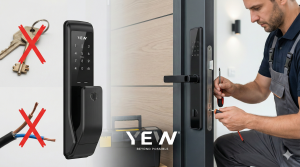
5 Common Issues with Digital Locks (And How to Fix Them)

You’ve installed a sleek digital lock, tossed your keys in a drawer, and enjoyed the freedom of keyless entry. But like any piece of technology—whether it’s your smartphone or your laptop—digital locks can sometimes have “hiccups.”
In Singapore’s unique climate and high-density living environment, certain issues crop up more often than others. The good news? Most of them are easily solvable without calling a locksmith.
Here are the 5 most common issues owners face with digital locks in Singapore and exactly how to fix them.
1. The “Battery Drain” Mystery
This is the #1 complaint we hear. A digital lock should typically last 9 to 12 months on a single set of batteries. If you find yourself changing them every 2 months, something is wrong.
- The Cause: It is almost always due to battery leakage or mixing old and new batteries. Singapore’s high humidity can cause poor-quality batteries to leak acid, corroding the motherboard and causing power drains.
- The Fix:
- Use Alkaline Batteries Only: Avoid “Heavy Duty” (carbon-zinc) or rechargeable batteries. Brands like Energizer Max or Duracell Ultra are gold standards.
- Change All at Once: Never mix old and new batteries.
- Check for Corrosion: Open the battery cover and look for white powder or rust. If you see it, clean it immediately with a dry cloth.
2. Fingerprint Scanner Not Recognizing You
It can be frustrating to press your thumb against the scanner only to hear the dreaded “Error” beep multiple times.
- The Cause: Digital locks use optical or capacitive sensors. They can struggle if the sensor is dirty, scratched, or if your finger is wet (common after a gym session or rain).
- The Fix:
- Wipe the Sensor: Use a clean, dry microfiber cloth to remove oils and dust.
- Register Multiple Angles: When setting up your fingerprint, don’t just press the center. Register the tip, sides, and edges of your thumb so the lock recognizes you however you place your finger.
- Register a Backup Finger: Always have a second finger (or a family member’s) registered just in case.
3. The Auto-Lock Isn’t “Locking”
You close the door, wait for the familiar click-whirrr sound… and nothing happens. Or worse, the lock jams and starts beeping an alarm.
- The Cause: This is usually a door alignment issue, not a lock failure. Over time, heavy wooden doors in HDBs and Condos can “sag” slightly on their hinges. If the bolt doesn’t line up perfectly with the hole in the door frame, the auto-lock feature will fail.
- The Fix:
- Check the Hinges: Tighten the screws on your door hinges to lift the door back into alignment.
- Clean the Mortise: Check the hole in the door frame (the strike plate) for debris or dust that might be blocking the bolt.
4. Smart App Connection Failures
You are trying to unlock the door remotely for a courier, but the app says “Device Offline” or simply won’t connect.
- The Cause: Most digital lock hubs (gateways) rely on 2.4GHz Wi-Fi. If your home Wi-Fi signal is weak at the door (which is far from the router in many long HDB layouts), the connection will drop.
- The Fix:
- The “Distance Test”: Stand next to your door with your phone connected to Wi-Fi. If your phone has a weak signal, your lock definitely does too.
- Get a Wi-Fi Extender: A simple plug-in extender near the entrance can solve connection drops instantly.
- Reboot the Hub: Just like a router, sometimes the lock’s Wi-Fi bridge just needs to be unplugged and plugged back in.
5. Unresponsive Touchpad (The “Ghost” Touch)
You try to key in your PIN, but the numbers won’t light up, or the lock acts like you are pressing buttons when you aren’t.
- The Cause: This is often triggered by “Sleep Mode” or residual static. To save battery, many locks go into a deep sleep and need a specific gesture to wake up.
- The Fix:
- The “Palm Touch”: Most Samsung, Gateman, and Yale locks require you to place your entire palm over the keypad to wake it up before typing numbers.
- 9V Battery Jumpstart: If the pad is completely dead and won’t wake up, your batteries might be 100% flat. Hold a rectangular 9V battery against the two silver external terminals (usually at the bottom of the lock) to give it temporary power, then key in your PIN.
Summary
Digital locks are incredibly reliable, but they do need a little maintenance. Treating them right—using high-quality batteries and keeping the sensor clean—ensures they will serve you for years without issue.
Read Next
5 Reasons Why You Need a Digital Lock in Singapore
Best Digital Lock Singapore in 2026